Buscando un concepto EDU.IT

“...el contexto sociotecnológico generen un nuevo modelo de escuela que responda a las necesidades formativas de los ciudadanos...” Adell Castañeda

Buscando un concepto EDU.IT (parte 2)

¿Cuál es la situación actual y cuál la deseada? ¿Cómo haremos realidad un proceso de innovación?

Learn to use the Core Google for Edu apps

Google offers a free-of-cost learning center for teachers that want to learn how to use GAFE. Learn at your own pace.

Documentar los proyectos como estrategia de aprendizaje

La documentación de procesos educativos está cobrando cada vez más importancia. Pero, ¿cómo comenzar a documentar? ¿Cuáles son las primeras consideraciones?

Personal information protection

Many websites gather personal information from their visitors. Some tips for beginners.

Wednesday, June 8, 2016

TED Video series

Based on Mark Anderson´s post.


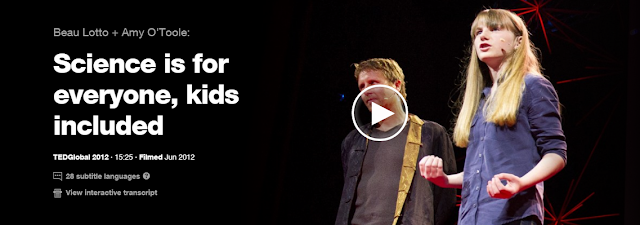
Welcome to this selection of TED videos on being an innovative modern educator. TED has a long history of hosting inspirational characters, who share their vision of innovative educational projects. The already legendary talk held by Ken Robinson, titled "Do schools kill creativity",  signaled (at least for me) the beginning of a series of inspirational talks about education. Here I share with you some of my favorites.


  • If you’re interested in TED lessons or joining the TED education group, you can explore ed TED collaboratives and resources here: http://ed.ted.com/lessons


Padlet en acción !


En un post anterior (20 de mayo "Padlet - Tablones de anuncios") compartí con ustedes una muy breve introducción al uso de padlet. En esta ocasión comparto un muro creado con el objetivo de compartir algunas recomendaciones de seguridad informática. Podrá ver que un tablón de anuncios puede ser insertado en un artículo del Blog, al tiempo que se informará sobre algunos consejos de seguridad.


Tuesday, June 7, 2016

Padlet - Tablones de anuncios


Padlet es una sencilla herramienta On-Line que le permitirá crear tablones de anuncios o notas virtuales. El tablón de anuncio que crea el usuario tiene una dirección web (URL) que lo identifica en forma única. Los anuncios virtuales pueden contener: texto, imágenes, videos o audios. En general es posible combinar texto con una imagen o video. El acceso a los tablones puede ser público o restringido, con o sin contraseña de acceso y con diferentes niveles de permisos para los visitantes. Así, un visitante podrá por ejemplo: acceder un tablón mediante el uso de una contraseña para leer su contenido o para editarlo.


Monday, June 6, 2016

Working with spreadsheets


As part of our standard syllabus, all second year courses are now working with spreadsheets. A wide range of concepts are covered, some of them are: arranging numerical information in table formats, performing calculations and charts. Both, practical and theory approaches are of value to us, to understand how we can use computers in our daily life.


Saturday, June 4, 2016

Design tip 1 - Bulleted lists


Designing a good presentation, a well balanced post or even a simple Word document, demand a great effort and time. Professional designers usually began their skills development at HS, then continued to a bachelors degree and most probably a Mg. degree. So, you are at the beginning of what might be great professional opportunity...   As with almost all in life, first steps are usually clumsy, but filled with expectations.

This post is the first one of a series dedicated to share some design tips for your blogs. As instructed in class, this are the minimum design skills you should practice. Firstly try to "imitate" or copy the basic ideas, most of them learned from professional designers websites. After a while you feel comfortable with them,  progress to the next level and create your own ones. 


Idea number 1 - Replace the standard bullet


Lorem Ipsum is simply dummy text of the printing and typesetting industry. Lorem Ipsum has been the industry's standard dummy text ever since the 1500s, when an unknown printer took a galley of type and scrambled it to make a type specimen book.

It has survived not only five centuries, but also the leap into electronic typesetting, remaining essentially unchanged. It was popularised in the 1960s with the release of Letraset sheets containing Lorem Ipsum passages, and more recently with desktop publishing software like Aldus PageMaker including versions of Lorem Ipsum.


Idea number 2 - Replace the list with boxes 


Sources of information

Thursday, June 2, 2016

Alice 3.0


Alice is a freeware object-based educational programming language with an integrated development environment (IDE). Alice uses a drag and drop environment to create computer animations using 3D models. The software was developed first at University of Virginia in 1994, then Carnegie Mellon (from 1997), by a research group led by the late Randy Pausch.


Alice is designed solely to teach programming theory without the complex semantics of production languages


Here are a few reasons why learning programming is important. Students use many digital tools and applications as natural as counting 1, 2, 3. Smartphones, computers, Youtube, Netflix, and Facebook are embedded in their daily lives. Even toys are digital, think about Lego Mindstorms. It is one thing to know how to use these technologies. It’s another, however, to understand the logic behind them. When learning to program, kids understand and tinker with the digital world they inhabit. Coding draws back the seeming “magic” of technology so they can truly understand the logic and science that controls this technology–a discovery that is all the more magical.


"Software is really about humanity, that is about helping people by using computer´s technology. It would have changed my outlook a lot earlier."
Vanessa, creator of "Girl Develop IT"


Learning how to program is like learning any other language in that the skill must be practiced and tested out. Just as languages open up the ability to communicate with worlds of people, programming gives children the ability to create technologies that impact those around them. With just a computer, kids can use their programming skills to build things that could change the world.


The video is titled "What most schools don´t teach". 
Well, here at Goethe Schule Buenos Aires, we do !


Tuesday, May 31, 2016

Bibliografías compartidas


Comienzo esta breve nota citando una frase que se le atribuye a Nicholas Negroponte:

"En las últimas semanas he visto el mayor cambio en mucho tiempo. Pusieron una fotografía de papel delante de una niña de tres años. Para verla mejor, dio un pellizco en ella, como si fuera una pantalla, pero se dio cuenta de que no tenía efecto sobre el papel. La manera de entender el mundo de esa niña no tiene nada que ver con la nuestra. "

Rápidamente podríamos coincidir con Nicholas, en el sentido de afirmar que efectivamente el mundo ha cambiado. Sin embargo, para significar el cambio en el mundo, Nicholas afirma que una niña aun recibe información (posiblemente valiosa, ya que desea hacer zoom sobre la imagen) impresa sobre papel. ¿Aparente contradicción de estos tiempos?


“Hemos encontrado, para nuestra sorpresa, que uno de los mayores consumidores de libros digitales son los adultos mayores, por una sencilla razón: pueden agrandar la letra”


La tecnología suele sorprendernos con usos y razones que no esperábamos o imaginábamos en un primer momento. Andrés Sarmiento, responsable de marketing de la editorial Alfaguara, infiere que el éxito de ventas de libros digitales que ha observado, tiene relación con la posibilidad de aumentar el tamaño de letra en los dispositivos electrónicos de lectura. Así es que, la tecnología digital supera al papel con una simple herramienta, el zoom.

Otro aspecto a destacar consiste en la posibilidad de combinar los dos mundos. El mundo del papel impreso y el mundo digital, tomando lo mejor de cada uno de ellos. Veamos un ejemplo sobre cómo combinar el poder de un buscador como Google, con la tradicional referencia bibliográfica.


Monday, May 30, 2016

Bancos de imágenes gratuitos


Los bancos de imágenes no son más que extensas colecciones de imágenes. En general el usuario de un banco de imágenes espera que el sitio que las ofrece permita realizar búsquedas utilizando palabras clave o categorías predefinidas. ¿Desilusionado? ¿A que parecía un concepto mucho más complejo?

Todas las imágenes que tu buscador preferido puede encontrar, cuentan con alguna clase de licencia. El hecho que una imagen (o cualquier otro tipo de contenido) esté disponible en Internet, no implica que puede ser utilizado (re-utilizado) de cualquier forma. Las licencias son el marco legal que habilita el tipo de utilización permitido para cada una de esas fotos. Así es que, por lo general el autor de las imágenes suele tener los derechos reservados, es decir que no es posible emplearlas sin el consentimiento del autor.

El hecho que un contenido esté disponible en Internet no lo hace libre de derechos de autor.

Una de las alternativas más utilizada hoy en día, es el acceso a bancos de imágenes. Existen bancos de imágenes de todo tipo, que agrupan imágenes por sus características visuales o propiedades estéticas. Incluso hay colecciones especializadas en imágenes con licencias CC o también de dominio público. A continuación algunos bancos de imágenes en alta calidad, de acceso y uso libre, con buena o excelente reputación. 


En pixabay puedes encontrar imágenes libres de derechos. Todas ellas están publicadas bajo dominio público Creative Commons. Cuenta con un buscador de imágenes y vectores que funciona bastante bien. Los recursos están organizados en más de 20 categorías distintas lo que facilita las búsquedas. Las descargas son directas y no necesitas registrarte. Muy recomendable.

En este banco de imágenes podrás encontrar miles de imágenes categorizadas completamente gratis y sin ninguna restricción de uso. Para descargar las imágenes tendrás antes que registrarte en la web.

Este banco de imágenes está ideado para diseñadores, ya que pone a su alcance miles de imágenes para que puedan ser modificadas y personalizadas. Sin embargo la licencia de los recursos de esta web no te permite utilizar las imágenes para utilizarlas en tus posts directamente, por lo que tendrás que pedir permiso a su autor. Para ello tendrás que contactar con el autor de la fotografía y pedirle permiso.

Con Foter tienes acceso a un gran número de recursos visuales procedentes blogs, foros y sitios web, bajo la licencia Creative Common (CC). A diferencia de otras bancos de imágenes gratuitos, Foter te proporcionar el código HTML para que lo puedas incrustar en tu Blog o página web. Así evitarás ocupar espacio de almacenamiento, pero si el autor de la imagen decide eliminarla, también desaparecerá de tu sitio.


Saturday, May 28, 2016

Design your post (2)

This post is compilation of different ICT industry contents. The design of this post is intended to show an example of good formatting practices. The formatting or design features are applied only between the two horizontal separators. See "source of information" at the end of the contents to know about the websites used. 


Spreadsheets are like lined paper with columns. They can be used to write numbers and make calculations. By using formulas for adding, multiplying, or even finding averages, the spreadsheet will do the math for you.  

Source: http://www.bankingtech.com/files/2013/03/spreadsheet.jpg

This is important if you are trying to keep track of a lot of different things, or if you are asking "What if" questions. People in business ask "What if" questions all the time. They will change a number like the amount of money that they have set aside for salaries to see what happens to their total expenses. You can use spreadsheets to keep track of your money, your test scores, or to work a complicated math problem.

Spreadsheets are used to write numbers and make calculations.


Formulas tell the computer to do math operations with certain numbers. Move your cursor to cell B16. The status line reads: =sum(B4:B15), but you see the number $210 on your screen. A formula always starts with an = . Whenever you see the equal sign (=), the computer computes an answer for you. 


Features applied: TC post 2,  IC post 2, AC post 2.

Source of information:
http://www2.ups.edu/community/tofu/lev2/mathconcepts/spreadsheet/intsprdshts.htm

Design your post (1)

This post is compilation of different ICT industry contents. The design of this post is intended to show an example of good formatting practices. The formatting or design features are applied only between the two horizontal separators. See "source of information" at the end of the contents to know about the websites used. 


The formatting of a document is important regardless of the type of industry you are in but many people are still unaware of the simple basics. If you have had a formal education you may be more mindful of the standards that your university or particular industry requires, however there is no denying that correct formatting will create a greater initial and lasting impression of your work.

Organisation is crucial when focusing on the layout of a document or documents. Make sure that each thought is represented by individual paragraphs and that uniform margins are used throughout.


Features applied: TC post 1,  IC post 1.

Source of information:
http://www.bauhiniasolutions.com/the-importance-of-formatting-structuring/
http://www.copypress.com/blog/the-importance-of-formatting-your-content-for-the-web/

Monday, April 25, 2016

Need to learn the meaning of a word?


Google can be used as an On-Line dictionary. Technically speaking, every time you use a printed dictionary, you are performing a search for a word and Google specializes in that business.  You may have noticed that Google sometimes displays snippets of information before showing the search results. One of the most commonly seen snippets are the dictionary searches. 


The image shows a dictionary snippet from a Google search


Say you'd like to find out what a "computer" is. You could search for "define computer" (without including the quotation marks), and most of the search results would have some sort of definition. However, this is really just a keyword search, so some of the results might be long articles on computers or only mention the definition in passing. Important is, that you look for the dictionary snippet at the top of the search results.


Did you notice the speaker icon? Click on it to hear the word pronunciation. In most of the cases you`ll hear a human voice, not a computerized one. 


Sources of information


Monday, April 18, 2016

Google Classroom en acción (tareas) !


Google Classroom integra completamente los contenidos de Google, Drive y la mensajería de Gmail para que los profesores puedan crear y recibir las tareas sin utilizar documentos en papel. En Classroom, los profesores pueden crear una publicación para asignar a los alumnos una tarea y elegir cómo la completarán los alumnos. El profesor puede optar por: cada alumno recibe una copia individual o todos trabajan con la misma copia de la tarea. Realizar un seguimiento de los alumnos que han completado la tarea y los que no, es sumamente sencillo. También es posible proporcionar observaciones en forma de comentarios para cada alumno.

Publicar una tarea, permitir que los alumnos la completen y calificarla es una tarea muy sencilla