Tuesday, October 20, 2015
Tuesday, October 6, 2015
Sway the way ! Web presentations.
9:12:00 AM
No comments
Sway is a free app from Microsoft Office. It lets you create and share interactive reports, presentations, personal stories, newsletters, vacation memories, school and work projects, and more.
Multimedia may be broadly divided into linear and non-linear categories. Linear active content progresses without any navigation control for the viewer such as a cinema presentation. Non-linear content offers user interactivity to control progress as used with a computer game or used in self-paced computer based training. Hypermedia is an example of non-linear content. Like many other presentation software, Sway organizes contents in a linear story line.
Examples of non-linear presentation software are: Prezi and Padlet. By using non-linear presentations, you can give the audience a choice of paths through the material. In this type of media, the person needs to interact with a computer program, thus making him in control of the experience.
Sources of information
Sunday, October 4, 2015
Data synchronization
10:37:00 AM
No comments
Data synchronization technologies are designed to synchronize a single set of data between two or more devices, automatically copying changes back and forth. For example, a user's contact list on one mobile device can be synchronized with other mobile devices or computers. Data synchronization can be local synchronization where the device and computer are side-by-side and data is transferred or remote synchronization when a user is mobile and the data is synchronized over a mobile network.
Sources of information
Monday, September 14, 2015
On-Line generators. Creativity?
8:34:00 AM
No comments
One can discuss whether web-generators are useful or not. On the one hand, they don’t challenge our creativity, but on the other hand they make our life easier and save our precious time. Tasks requiring subjective assessment or synthesis of complex sensory data, such as scents and sounds, as well as high-level tasks such as strategic planning, currently require human expertise. In many cases, the use of humans is more cost-effective than mechanical approaches.
The Paradox of Automation says that the more efficient the automated system, the more crucial the human contribution of the operators. Humans are less involved, but their involvement becomes more critical. If an automated system has an error, it will multiply that error until it’s fixed or shut down.
It’s widely accepted that creativity can’t be copied by machines. Reinforcing these assumptions are hundreds of books and studies that have attempted to explain creativity as the product of mysterious processes within the right side of the human brain. Creativity, the thinking has been, proves just how different people are from CPUs.
But now we’re learning that for some creative work, that simply isn’t true. Complex algorithms are moving into creative fields—even those as nebulous as music A&R—and proving that in some of these pursuits, humans can be displaced.
Sunday, September 13, 2015
Data compression
10:39:00 PM
No comments
Data compression can be lossy or lossless. Data compression is the art of reducing the number of bits needed to store or transmit data. Compression can be either lossless or lossy. Losslessly compressed data can be decompressed to exactly its original value. An example is 1848 Morse Code.
Lossy compression is a data compression method which discards (loses) some of the data, in order to achieve its goal, with the result that decompressing the data yields content that is different from the original, though similar enough to be useful in some way. Lossy methods are especially suitable for natural images such as photos in applications where minor (sometimes imperceptible) loss of fidelity is acceptable to achieve a substantial reduction in bit rate. These methods are most commonly used to compress multimedia data (audio, video, still images), especially in applications such as streaming media and internet telephony.
Lossless data compression on the other hand allows data to be fully reconstructed from the compressed data. For example, it is used in the popular ZIP file format and in the Unix tool gzip and RAR file format in the Windows tool WinRar. It is also often used as a component within lossy data compression technologies. Lossless compression is required for text and data files, such as bank records, text articles, etc. Lossless compression is preferred for archival purposes and often medical imaging, technical drawings, clip art or comics.
Information sources
Thursday, September 10, 2015
Design Tip 3 - Color Schemes Generators
10:36:00 AM
No comments
Not being a professional illustrator, I often have the need to make the right color decisions, so On-Line color schemes generators are a great place to start. These kind of generators create a set of colors based on user preferences, such as: number of colors required, color space representations (RGB, CMYK, #Hex, etc.) and many more. The most common way to use these features is to select one to three base colors and a scheme pattern, then the generator will create appropriate color combinations. The resulting individual colors in a specific combination are coded in RGB or #Hex.
The following are a selection of the color schemes generators I usually use:
Palleton: a free color scheme generator based on most common color sets, like triads or tetrads of colors. It also offers a free style generator. A particular interesting feature is the colorblind simulator.
RGB Gradient Maker: a gradient is a gradually increase or decrease in the magnitude of a property. RGB gradients are created by small modifications to each of the color components (Red, Green, Blue) beginning with a base color and progressing to the final color with small modifications in the gamut.
Tuesday, August 11, 2015
Shared Folders Linux
9:26:00 AM
No comments
Select the virtual machine, click on Settings, the above window will open. Click on the plus icon to select the folder you want to share with the virtual machine. Here I share the c:\Users\...\Desktop\HostDesk (the folder names are case sensitive) on the Windows 7 to share with the virtual Ubuntu. The shared folder name is Desktop, which will be used by Ubuntu to mount it.
Once you created the share, is time to start your virtual computer in order to mount it. Create a second folder on Linux's Desktop. Now, you should have created one folder on Windows 7 desktop, and another one, on Linu's Desktop. These are the folder you'll mount together.
Open a terminal and, inside the terminal window, use the search box if necessary.
use the following command line, replacing "HostDesk" and "LinxDesk" with the share names you defined:
Monday, August 10, 2015
Variables on Scratch
3:08:00 PM
No comments
Variables are used whenever a value must be stored — i.e., if a project required the user to input a name and then remember that name, the name would be stored in a variable. With this, the name can be retrieved at any time; all the project has to do is check the value (which is the name).
The look of the variable can be changed in to three forms: The normal readout, the large readout, and the slider. The form of the variable can be changed by double-clicking or right-clicking it and selecting the option that is wanted, or clicking it using the grow/shrink sprite tool.
The following example illustrates one use of one variable. The variable name is "Flying".
The following scripts control the value of the variable "Flying", the vertical movement of the helicopter and the land/crash speed. Two different forces are "simulated" in this really simple project: the propellers thrust (adding a positive value to "Flying") and the gravity force (constantly changing "Flying" by a negative value).
The actual movement of the helicopter is controlled by the "Change y by" block, where the standard value is replaced by the value of the variable.
Friday, July 3, 2015
Guest Additions
4:03:00 PM
No comments
The Guest Additions are designed to be installed inside a virtual machine after the guest operating system has been installed. They consist of device drivers and system applications that optimize the guest operating system for better performance and usability. Some of the extra features are: automatic resizing, seamless mode, the bidirectional clipboard, drag and drop, and more.
Sunday, June 7, 2015
Freeze ! I´ll save your state.
12:07:00 PM
No comments
When you click on the "Close" button of your virtual machine window (at the top right of the window, just like you would close any other window on your system), VirtualBox asks you whether you want to "save" or "power off" the VM. (As a shortcut, you can also press the Host key together with "Q".)
The difference between these three options is crucial. They mean:
- Save the machine state: With this option, VirtualBox "freezes" the virtual machine by completely saving its state to your local disk. When you start the VM again later, you will find that the VM continues exactly where it was left off. All your programs will still be open, and your computer resumes operation. Saving the state of a virtual machine is thus in some ways similar to suspending a laptop computer (e.g. by closing its lid).
- Send the shutdown signal. This will send an ACPI shutdown signal to the virtual machine, which has the same effect as if you had pressed the power button on a real computer. So long as the VM is running a fairly modern operating system, this should trigger a proper shutdown mechanism from within the VM.
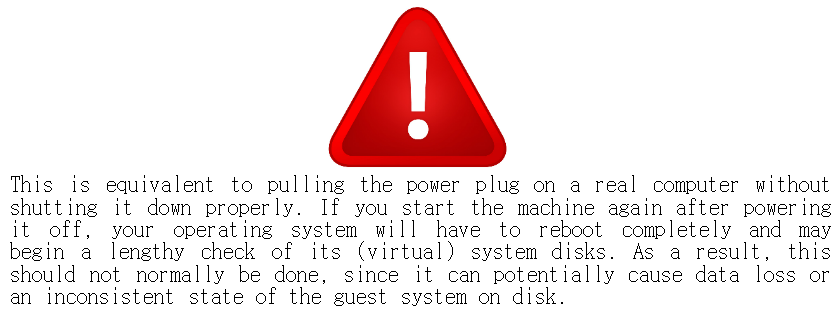
- Power off the machine: With this option, VirtualBox also stops running the virtual machine, but without saving its state.
Friday, June 5, 2015
Blogging safety guidelines
9:16:00 AM
No comments
Eight safety tips for blogging (English). Download.
(Post under construction)